Showing posts with label Technology. Show all posts

Tuesday, June 28, 2011

Motorola launches Xoom tablet in India

Motorola Mobility became the latest entrant in India as it launched the Xoom tablet in 3G and Wi-Fi priced at Rs 32,990 and 39,990 respectively on Tuesday.

"Motorola Xoom will delight customers with its ease of use, speed and vivid graphics," Motorola Mobility mobile devices business country head for sales and operations (India and South West Asia) Rajan Chawla said.

The Indian tablet market has heated up over June with more than half-a-dozen handset makers launching their tablets.

Motorola Xoom will compete with the Apple iPad and Samsung Galaxy Tab , recently launched BlackBerry PlayBook and Chinese manufacturers such as HTC, Huawei and G'Five. Homegrown brands such as Spice and Olive that have launched tablets at competitive price last year may enjoy the first mover advantage over the rest.

Canadian phone maker Research In Motion launched the PlayBook in India last week, which will be available at Rs 27,990 for 16 GB memory, Rs 32,990 for 32GB and Rs 37,990 for 64 GB.

Chinese handset maker HTC plans to launch Flyer at Rs 39,890 in the Indian market. It's competitor G'Five announced a price point of sub Rs 10,000 in May for its tablet that would run on Android and Windows platforms, slated to hit the market by June-end.

Huawei launched the light and slim MediaPad this month and would launch its tablet S7 in India between July and September.

According to the International Data Corporation, sales in the tablet market are expected to increase more than fourfold in the next two years. While sales in the tablet PC segment in India are expected to touch one million units over the next 12 months, say analysts.

Saturday, June 18, 2011

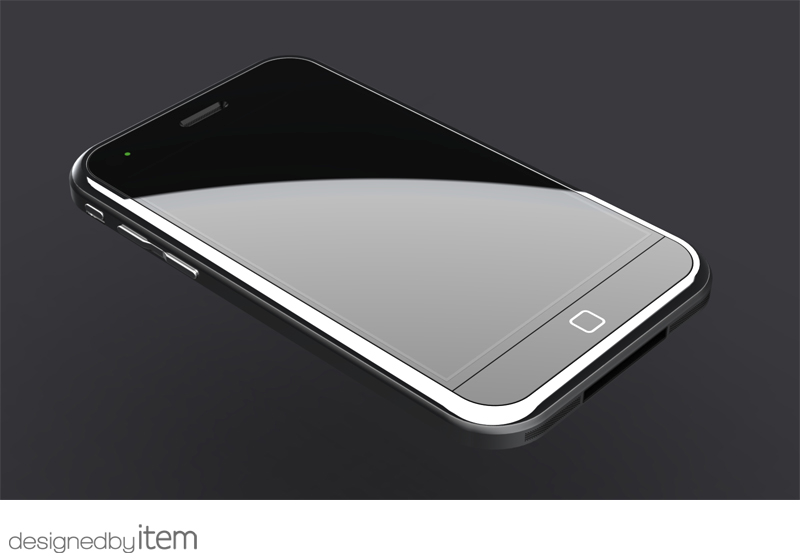
Apple iPhone 5


Apple has apparently started to cut down on the orders of Philips-sourced LED flash components, called Lumileds according to Apple tech website, Apple Insider.
A person familiar with Apple's supply's chain has told the site that Apple has greatly reduced orders for the Philips LED flash components over the past 30 to 60 days.

The source added that this may be due to the fact that Apple will not use the component in the forthcoming iPhone 5, while other leads point to a new supplier, possibly based in Taipei, that may instead be adopted.


While the camera and the flash modules on the iPhone 4 are part of the same component, it appears that Apple will separate both for the fifth generation iPhone 5 in order to improve the quality of pictures and reduce the dreaded red-eye effect.
Other reports have pointed out that Apple is going to use an eight-megapixel camera for the iPhone, a jump in pixel count that will allow it to close the gap on certain rivals like the Nokia N8 and some future Android-based smartphones that will even have 12-megapixel or higher camera resolution.
Taiwanese manufacturer Omnivision is rumoured to be the big winner in the allocation of OEM/ODM contracts, being set to acquire 90 per cent of orders.

Saturday, May 14, 2011

AJAX


Introduction - What is AJAX?

AJAX, or Asynchronous JavaScript and XML, is a fancy way to use JavaScript and XML to communicate with a web server without refreshing the web page. You can visit this web page for more information about AJAX; it has a good list of links.

Why use AJAX?

There are a couple of reasons to use AJAX in lieu of the traditional form submission. The first is that it is very light weight: instead of sending all of the form information to the server and getting all of the rendered HTML back, simply send the data the server needs to process and get back only what the client needs to process. Light weight means fast. The second reason to use AJAX is because (as the logo in the link above makes clear) AJAX is cool.


Asynchronous JavaScript + XML (AJAX) is essentially a branding term for a bundle of common web technologies. These include JavaScript, DHTML and a utility object called XMLHTTP. The short story is that in combination, these tools reduce the need for web browser applications to reconnect to a web server every time additional data is downloaded.

Not to be left behind, Microsoft has announced project Atlas for ASP.NET 2.0 and for ASP.NET 1.1, we already have Michael Schwarz's Ajax.Net.
According to one Atlas project member, “What we’ve set out to do is to make it dramatically easier for anyone to build AJAX-style web applications that deliver rich, interactive, and personalized experiences. Developers should be able to build these applications without great expertise in client scripting; they should be able to integrate their browser UI seamlessly with the rest of their applications; and they should be able to develop and debug these applications with ease.”
Atlas is being developed on top of ASP.NET 2.0 and is slated to contain the following components:

Atlas Client Script Framework
The Atlas Client Script Framework is an extensible, object-oriented 100% JavaScript client framework that allows you to easily build AJAX-style browser applications with rich UI and connectivity to web services. With Atlas, you will be able to write web applications that use a lot of DHTML, JavaScript, and XMLHTTP, without having to be an expert in any of these technologies.
The Atlas Client Script Framework will work on all modern browsers, and with any web server. It also won’t require any client software installations, only standard script references in the web page.
The Atlas Client Script Framework will include the following components:
  • An extensible core framework that adds features to JavaScript such as lifetime management, inheritance, multicast event handlers, and interfaces
  • A base class library for common features such as rich string manipulation, timers, and running tasks
  • A UI framework for attaching dynamic behaviors to HTML in a cross-browser way
  • A network stack to simplify server connectivity and access to web services
  • A set of controls for rich UI, such as auto-complete textboxes, popup panels, animation, and drag and drop
  • A browser compatibility layer to address scripting behavior differences between browsers.
ASP.NET Server Controls for Atlas
For ASP.NET applications, a new set of AJAX-style ASP.NET Server Controls will be developed and the existing ASP.NET page framework and controls will be enhanced to support the Atlas Client Script Framework.
The Atlas Client Script Framework will fully support ASP.NET 2.0 client callbacks, but will enrich the level of integration between the browser and the server. For example, you will be able to data bind Atlas client controls to ASP.NET data source controls on the server, and you’ll be able to control personalization features of web parts pages asynchronously from the client.

ASP.NET Web Services Integration
Like any client application, an AJAX-style web application will usually need to access functionality on the web server. The model for connecting to the server for Atlas applications is the same as for the rest of the platform – through the use of Web services.

With ASP.NET Web Services Integration, Atlas applications will be able to access any ASP.NET-hosted ASMX or Indigo service directly through the Atlas Client Script Framework, on any browser that supports XMLHTTP. The framework will automatically handle proxy generation, and object serialization to and from script. With web services integration, you can use a single programming model to write your services, and use them in any application, from browser-based sites to full smart client applications.


Wednesday, May 4, 2011

Make Your Website.......India's Best Web Designing Company

The Web Dream 
               The Web Designing Company.........


Make your website and give information to global world. The Web Dream is a web designing company.......know more details on www.thewebdream.com ..........


Website : www.thewebdream.com
Email: info@thewebdream.com
Call: 09722210225

Make Your Website.......India's Best Web Designing Company

The Web Dream 
               The web designing Company.........


Make your website and give information to global world. The Web Dream is a web designing company.......know more details on www.thewebdream.com ..........

Website : www.thewebdream.com
Email: info@thewebdream.com
Call: 09722210225

Wednesday, April 13, 2011

Gmail and Other Google Services Now Support Multiple Sign-In in Same Browser

Having multiple accounts has been a pain for GMail users for a while. You have to log out of one account and log back in the next. Now, Google has introduced a way for you to link up to three accounts to your Google account, so you can sign in and switch between them at will – or even open a different tab for each account. Wow!
Gmail, Other Google Services Now Support Multiple Sign-In
According to the Gmail Blog, everyone should now be able to activate multiple accounts by heading to your Google Accounts page. Now, you can visit google.com/accounts and click the link next to “Multiple sign-in.” After you sign into your first account, you can sign in with up to two additional accounts from the new accounts menu in the upper right hand corner of Gmail, then easily toggle back and forth between them. You can even open multiple Gmail tabs — one for each of your accounts.

However, there are 3 caveats that Google quickly warns about, though:

1) Not all Google services support multiple account sign-in yet. For the services that don’t support it (like Blogger and Picasa Web Albums), you’ll be defaulted to the first account you signed in with during that browser session. So if you click a link from Gmail to Blogger, for example, you’ll be logged into Blogger with the first account you signed in with, even if you clicked the link to Blogger from your second Gmail account.

2) We’re still working on making Gmail and Calendar work offline with multiple sign-in. If you rely on offline access, you probably don’t want to enable this feature quite yet.

3) Multiple account sign-in only works on desktop browsers for now, so if you use Gmail on your phone’s browser you won’t see this option yet.
 Since Google Apps customers can already sign in to their accounts at the same time as their personal Google Accounts, we won’t be adding this new feature to Google Apps until the new infrastructure is in place.

 
This is expected to boost company adoption of Google Apps because Gmail login had been a drawback. This has been a much-requested feature in Google products for some time. Most of us have at least two active Gmail addresses, especially those of us who use Gmail for both our work and personal lives. Previously, the only ways to access two accounts at once conveniently were to use a desktop client for e-mail, calendar events and feed reading (all of which partially defeat the purpose of using web apps in the first place) or to resort to browser extensions like the Google Account Multi-Login Greasemonkey script, which hacks this feature into Gmail.


Windows Shortcut Keys

  • Alt + Tab  - Switch between open applications
  • Alt + Shift + Tab  - Switch backwards between open application
  • Alt + Print Screen - Create Screen Shot for Current Program
  • Ctrl + Esc - Bring Up Start Menu
  • Alt + Esc - Switch between  application on taskbar
  • F2 - Rename Specification
  • F3 - Start Find From Desktop
  • F4 - Open the drive section when browsing
  • F5 - Refresh Content
  • Alt + F4 - Close current Program
  • Ctrl + F4 - Close window in open program

Wednesday, April 6, 2011

Windows 7: A playground for hackers ?

Microsoft says windows 7 is safer, better looking and faster than Vista. But some security loopholes that have existed right from the beta phase have still not been completely dealt with. The main problem lies with the revamped User Account Control System (UAC) which has been toned down since users found the Vista version too intrusive. Ever since Vista, the user runs with only limited rights. If he wants to make system related changes, a UAC warning message is displayed and admin rights must be proven. However, the annoying pop-ups used to appear even for very small updates.


The new UAC from Windows 7 was designed to let the user control how alarms are raised, but the default low setting allowed hackers to run a simple script that let them later run any progrm with admin rights. Attackers can turn off the UAC through DLL injection even in the release candidate. Thus, every program gets admin rightd with just a click of the mouse. Even worse: Internet Exploer's Protected Mode can be disabled without the user being aware.
 

Tuesday, April 5, 2011

iPhone becomes the most popular camera on Flickr

The iPhone was briefly the most popular camera on the world's largest photo-sharing site, Flickr. After slowly gaining in the site's statistics since it's launch, a massive surge of popularity in the past few months has propelled it past the previous top model, Canon's affordable,  amateur-friendly EOS400D digital SLR. The two are now practically tied for the top spot.


Even though the 2-megapixel iPhone's image quality can't be compared to that of the entry-level DSLR, its immense popularity, Internet connectivity and media sharing feature mean more people are yaking and uploading mobile photos.

Monday, April 4, 2011

Bill Gates

William Henry "Bill" Gates III, is founder of Microsoft, the software company he founded with Paul Allen. He is consistently ranked among the world's wealthiest people. During his career at Microsoft, Gates held the positions of CEO and chief software architect, and remains the largest individual shareholder, with more than 8 percent of the common stock. He has also authored or co-authored several books.


" Your  most unhappy customers are your greatest source of learning."

- Bill Gates


As we look ahead into the next century, leaders will be those who empower others.  - Bill Gates
The best way to prepare to be a programmer is to write programs and to study great programs that other people have written.
- Bill Gates
 
Whether it's Google or Apple or free software, we've got some fantastic competitors and it keeps us on our toes.
- Bill Gates


Bill Gates is one of the most influential people in the world. He is co-founder of one of the most recognized brands in the computer industry with nearly every desk top computer using at least one software program from Microsoft. According to the Forbes magazine, Bill Gates is the richest man in the world and has held the number one position for many years.

Gates was born and grew up in Seattle, Washington USA. His father, William H. Gates II was a Seattle attorney and his mother, Mary Maxwell Gates was a school teacher and chairperson of the United Way charity. Gates and his two sisters had a comfortable upbringing, with Gates being able to attend the exclusive secondary "Lakeside School".

Bill Gates started studying at Harvard University in 1973 where he spent time with Paul Allen. Gates and Allen worked on a version of the programming language BASIC, that was the basis for the MITS Altair (the first microcomputer available). He did not go on to graduate from Harvard University as he left in his junior year to start what was to become the largest computer software company in the world; Microsoft Corporation.


Born October 28, 1955
Seattle, Washington, United States
Residence Medina, Washington, US
Nationality American
Education Harvard University (dropped out in 1975)
Occupation Chairman of Microsoft
Chairman of Corbis
Co-Chair of the Bill & Melinda Gates Foundation
Director of Berkshire Hathaway
CEO of Cascade Investment
Net worth increaseUS$56 billion (2011)


Saturday, March 19, 2011

Microsoft is more ethical than Google, Facebook, Apple

Search giant Google may profess its 'Don't be Evil' motto, however, when it comes to ethical action Microsoft steals a march over its arch rival, according to a recent ranking.

Microsoft has earned a place on Ethisphere's 2011 list of the world's 110 most ethical companies. Other IT companies on the list include, Teradata, Hitachi Data Systems, Symantec Corporation, Freescale, Texas Instruments, Adobe, eBay, T-Mobile and Salesforce.

The unranked listing recognizes these IT companies for their "real and sustained ethical leadership" across various industries. These companies are believed to "truly go beyond making statements about doing business ethically and translate those words into action."

Surprisingly, Google, who has been on the list in 2008, 2009 and 2010 is among the 36 companies that dropped off from the list this year. Two other big miss on the list are Apple and Facebook.

Though, Ethispehere has not disclosed individual reasons for the companies that dropping off from the list, it said, these "drop offs" generally occurred because of litigation and ethics violations, as well as increased competition from within their industry.

Ethisphere has ranked companies based on factors like history of regulatory infractions, sustainable business practices and peer nominations.

Wednesday, February 16, 2011

Imp Full Form for Multimedia

BMP -   Bitmap Image File
DIB  -   Device Independent Bitmap 
JPG -    Joint Photographic Expert Group
PCX -   Picture Exchange Format
PSD -   Photoshop Standard Document
PCD -   Photo CD File
RBG -  Red Blue Green
MIDI -  Musial Instrument Digital Interface
OCR -   Optical Character Recognition
OMR -  Optical Mark Recognition or Optical Mark Reader
AI -       Adobe Illustrator
CDR-    Corel Draw
CGM -   Computer Graphics Metafile
IPG - Interactive Program Guide
  

New features of Visual Studio 2012


With the release of Visual Studio 2010 just around the corner, I was lucky enough to get a sneak peak at Visual Studio 2012. Here are a few of the exciting things I found.
Code window resize
A feature you can turn on/off is automatic resizing of the code window.
When you are editing your code, selecting the code window maximizes it at the expense of Solution Explorer, the Output pane, etc.
Visual Studio 2012   Visual Studio 2012

Edit code while it executes
You could do it with Visual Basic 6 back in the '90s and finally you can do it in VS2012.
While the code is executing, you can pause it (breakpoint / debugging) and modify the code. Just as it did back in the '90s, the compiler will carry on working with the code you just wrote.
Visual Studio 2012

Visual Studio 2012
Google It!
They just made everyone's life easier.

Automatically add semicolons.
Rumour has it that the compiler will also automatically add closing brackets and braces.

Advanced copy and pasting of code
The art of developing good software includes the skill of copying and pasting code found on the Internet.
To make your life easier, VS2012 will apply some sense to the pasted code and rewire it for you.
Simply write your stub method...
Ask a question at StackOverflow.com or maybe try Googling the code you need. Once you have it, simply copy the code and paste it into your stub method.
...then the magic begins.
Visual Studio 2012
The compiler has recognised and wired up your connection string, replaced "textBox1.Text" with "term", and because you are returning a string from this method, it assumes that you want the first result from the table and so will suggest returning that for you.
Visual Studio 2012

Evil Code Monkey ™
After copying and pasting code, things can get pretty messy really quickly.
IntelliSense now includes Evil Code Monkey™ which will point out your ugly code, shaming you into Googling the correct way to write it.
VS2012

Language Style
VB, C# or F# - it's all just language styles!
When you are viewing code you can opt to have it translated from its original source into VB, C# or into some of the new styles.
Simplified Visual Basic is an easier, prettier language.
VS2012
Rush-C Is super-abbreviated, keyboard shortcut style C#
VS2012

Add Reference dialog
Finally they figured out what people meant when they asked for a proper "Add Reference" dialog.
They now provide the ultimate mix of speed and flexibility.
VS2012

Friday, February 11, 2011

10 Alternative Web Browsers for Ubuntu Linux

While Firefox is arguably still the champion of Linux web browsers, it can sometimes be slow and get bogged down by sites like Facebook. As a result (and just because it’s fun), some people have started to search for alternatives to Firefox on Linux. Thankfully, the Linux browser market has never been more full of competition. If you’re looking for a break from Firefox, there’s probably an alternative browser out there for you.
Here are 10 alternative browsers that you may find useful or interesting. This is not a comprehensive list of Linux web browsers, just 10 that we liked. If you’re using Firefox on Ubuntu Lucid (and in some cases older versions of Ubuntu or Debian) you can install these browsers from this page by clicking on the “Install Now” button after each browser summary.


Arora

Arora BrowserArora is a Webkit based browser written with the Qt UI framework.  It’s surprisingly fast and pretty full featured. Arora has many of the features we expect in a modern browser, such as Flash blocking, ad blocking, private browsing mode, a bookmark manager, a history manager, privacy controls and even the Webkit inspector. Arora also runs on FreeBSD, Mac OS X, Windows, and Haiku.

Install Now

Arora BrowserArora Browser Inspector


Chrome/Chromium

Arora BrowserGoogle’s Chrome browser and its open source brother Chromium are quickly becoming a popular replacement for Firefox on Linux systems. Chromium is included in the Ubuntu repositories for Lucid and Google has released beta versions of Chrome that run on Ubuntu and other Linux distros. Chromium is pretty stable and works well for day-to-day browsing.  Chromium seems much speedier than Firefox, especially when dealing with javascript intensive web applications such as GMail and Facebook. Chromium includes support for a variety of extensions and well as the Webkit developer tools.  These days, Chrome and Chromium are giving Firefox a run for its money on Linux!

Install Now

Chromium Browser


onkeror

Conkeror Browser
Conkeror is an Emacs inspired Mozilla based browser.  It features the same Gecko layout engine as Firefox, but there is no GUI, just Emacs style commands for navigating, searching, etc. If your fingers are programmed for Emacs, you might feel right at home in Conkeror.  We doubt this browser will be a big hit with the average Joe, but Emacs fans will surely enjoy Conkeror.
 
Install Now


Elinks

Elinks is atext based browser similar to the classic Lynx browser. It launches inside a Terminal window and presents you only the text of websites, no images, javascript, or Flash. This can be rather useful for website developers to test their sites, and can be useful for reading information on sites that are full of annoying javascript and Flash ads.

Install Now

Elinks Browser


Epiphany

Epiphany BrowserEpiphany is the official web browser of the GNOME desktop. It is a very easy to use Webkit based browser with a simplistic user interface. Epiphany is very slim on features and options, the standard installation offers no extensions, no advanced developer tools and no ad or Flash blocking. Installing the packages epiphany-extensions and epiphany-extensions-more will give you some useful extensions such as ad blocking and greasemonkey scripts (although this also made Epiphany very unstable). What Epiphany does offer is simplicity and speed. If you’re looking for a speedy no-frills Webkit based browser for GNOME, this is it.

Install Now

Epiphany Browser


Fennec

Fennec BrowserNot really an alternative desktop browser, but interesting and useful none the less,  Fennec is the mobile version of Firefox that is used on mobile platforms like Nokia’s N900. Fennec is included in the Ubuntu Lucid repositories and is quite useful for testing out your sites in Mozilla’s mobile browser without spending money on all the latest mobile phones. This is a must have for web developers.

Install Now

Fennec Browser


Flock

Arora BrowserBased on Firefox, Flock is a browser that focuses on close integration of different social media services such as Facebook, Twitter and Flickr. Flock has been around for several years but has never picked up substantial market share. While the integration of these social networks is nice, there is a lot of competition from the plethora of other tools for social networking. With new features like the Ubuntu MeMenu, the features of Flock seem even less compelling. That said, Flock is a very nice browser and runs quite well on Ubuntu (although a little manual installation is necessary).

Flock BrowserFlock Browser Inspector


Links

Links is a text based browser that ads basic image support. It’s kind of like using the web in the Mosaic days. We’re not quite sure when Links would be useful, but if you’re looking for a text-based browser that supports images, Links is for you.
 
Install Now

Links Browser


Midori

Midori BrowserMidori is a GTK browser based on Webkit (more specifically WebkitGTK+). It tracks the latests versions of WebkitGTK+ very closely, so you always have a fresh version of Webkit. Midori is very lightweight and fast, but still has a lot of features including extensions like ad blocking and user scripts. We find Midori useful for sites like Facebook which tend to slow down Firefox.

Install Now

midori Browsermidori Browser Inspector


Opera

Arora BrowserThe only non-free browser in our lineup is Opera. This is one of the most controversial browsers available for Linux. Many people think it’s the best browser on any platform, while many would never install a browser that isn’t open source. Opera is a very mature and full featured browser, if you like Opera on Windows or Mac, then go ahead and use it on Ubuntu too.
Opera Browser


SeaMonkey

Arora BrowserWhen Mozilla abandoned the old Netscape Navigator code base and launched Firefox, many people missed the mail, news and composer features of the old suite. For those who miss the old Netscape suite of apps, you can install SeaMonkey. The browser has been kept fairly up-to-date with the latest Gecko rendering engines but it’s starting to look pretty dated (especially with the classic Netscape theme installed). There are better and more modern alternatives to most of the SeaMonkey suite, so we suggest keeping this one around only for nostalgia.

Install Now

SeaMonkey Browser


What is your favorite Linux web browser? Leave your comments below!

Wednesday, February 9, 2011

Samsung Develops World's First DDR4 RAM

           Samsung, which has announced that it has created the World's first DDR4 DRAM. Samsung's new 30-nanometer-process memory modules are said to run at more than twice the speed of current DDR3 modules, and will also use less power.

           Samsung says that typical DDR3 memory modules available today use around 1.5V of electrical current, whereas its new DDR4 modules will use just 1.2V. Data transfer speeds on the new DDR4 module can reach 2.133Gbps, according to the company, but it could eventually reach higher speeds of up to 4Gbps.


DDR 2 RAM Price List and other Information

512 MB DDR2 RAM
  • 512MB DDR2 533MHz
    • 512MB DDR2 Desktop Computer Memory RAM 533MHZ Transcend – Rs.600
    • 512MB DDR2 Desktop Computer Memory RAM 533MHZ ZION – Rs.650

  • 512MB DDR2 677MHz
    • 512MB DDR2 Desktop Computer Memory RAM 667MHZ TAMKOR – Rs.350
    • 512MB DDR2 Desktop Computer Memory RAM 667MHZ ZION – Rs.625

    1 GB DDR2 RAM
    • 1GB DDR2 533MHz
      • 1GB DDR2 Desktop Computer Memory RAM  533MHZ Transcend – Rs.1150
      • 1GB DDR2 Desktop Computer Memory RAM  533MHZ ZION – Rs.1050
    • 1GB DDR2 677MHz
      • 1GB DDR2 Desktop Computer Memory RAM  667MHz OCZ – Rs.1100
      • 1GB DDR2 Desktop Computer Memory RAM  667MHz Transcend – Rs.1100
      • 1GB DDR2 Desktop Computer Memory RAM  667MHz Kingston – Rs.1100
      • 1GB DDR2 Desktop Computer Memory RAM  667MHz Dynet / Hynix – Rs.850
    • 1GB DDR2 800MHz
      • 1GB DDR2 Desktop Computer Memory RAM  800MHz Dynet / Hynix – Rs.850
      • 1GB DDR2 Desktop Computer Memory RAM  800MHz OCZ – Rs.1100
      • 1GB DDR2 Desktop Computer Memory RAM  800MHz Transcend – Rs.1100

    2 GB DDR2 RAM
    • 2GB DDR2 Desktop Computer Memory RAM  667MHz Dynet / Hynix – Rs.1600
    • 2GB DDR2 Desktop Computer Memory RAM  800MHz Dynet / Hynix – Rs.1600
    • 2GB DDR2 Desktop Computer Memory RAM  667MHz Transcend – Rs.1855
    • 2GB DDR2 Desktop Computer Memory RAM  800MHz Transcend – Rs.1855
    • 2GB DDR2 Desktop Computer Memory RAM  667MHz OCZ – Rs.2080
    • 2GB DDR2 Desktop Computer Memory RAM  800MHz OCZ – Rs.2080
    • 2GB DDR2 Desktop Computer Memory RAM  667MHz Kingston – Rs.1855
    • 2GB DDR2 Desktop Computer Memory RAM  800MHz Corsair – Rs.2160

Monday, February 7, 2011

Microsoft’s windows 8==>apple’s MacOs

One thing that is made abundantly clear is that Microsoft has been paying attention to Apple. In the documents, which appear to come from an April meeting with computer makers, Microsoft discusses its Cupertino, Calif.-based rival and outlines plans to offer a Windows Store similar to the way Apple distributes software on its iPhone. The documents, which Microsoft has declined to comment on or authenticate, also talk about plans to give Windows a more iPad-like response time through new power management settings.


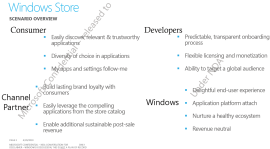
Among the Windows 8 details outlined in a leaked presentation are plans for a Windows Store, where consumers could go to directly buy PC software.


In particular, one slide titled "How Apple Does It: A Virtuous Cycle," talks about the need for simplicity in design. "Apple brand is known for high quality, uncomplicated, 'it just works,'" the slide says, adding that "This is something people will pay for!"

Other slides don't directly reference Apple, but talk about the need for a number of features popularized by its products, including the App Store, as well as a more instant-on feel.

Although Windows has continued to dominate the PC market, still holding roughly 95 percent of global market share, it faces a significant threat from mobile operating systems looking to encroach on the low end of the computer market, including the iPad and Android-based devices.


Hewlett-Packard, which originally talked about plans for a Windows 7-based slate PC in January, now refuses to say whether it will build that product and has since announced plans to buy Palm in a deal expected to close shortly. Microsoft has been working on tablets for nearly a decade and, as early as 2005, outlined the hardware trends that would enable a device like the iPad. Thus far, however, only Apple has been able to create a hit consumers.


Among the goals outlined for Windows 8 are some features that would appear to be aimed at making Windows more competitive in this market, including improved simplicity, better support of touch and gestures, as well as support for smaller-size screens.